Posts

Showing posts from October, 2016

Adxstudio Portal Website deployment from Dev to Prod

Image
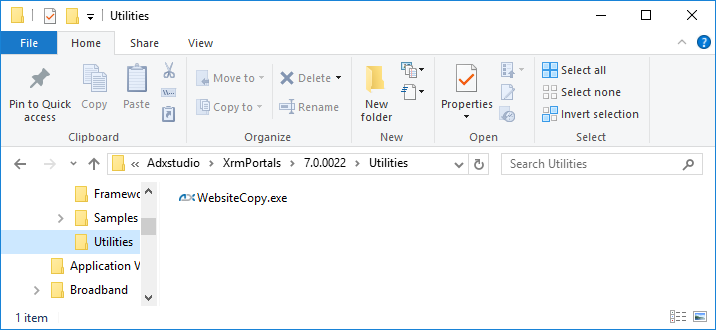
Let’s suppose we need to deploy our adxstudio "Community Portal" wbsite from Dev environment to our production environment. You should have already installed Adxstudio Studio portal on the Production CRM org with "Community Poral" Website from Website Gallery, and hosted the source code. In short you should have Configured the "Community Portal" website in the Production enviroenment. Let we have been done lot of changes in Dev CRM org by adding “Web Pages”, “Web forms”, “Content Snippets”, “Page Templates” etc. And let also we have changes in our Dev Website source code. Now we want deploy all these updates/changes for “Community Portal” website from Dev to Prod we need following steps/things: Copy website from Dev CRM org to Prod CRM org, here we need to migrate the website record with all the related entities records used for website building e.g. “Web Pages”, “Web forms”, “Content Snippets”, “Page Templates” etc. For this migration we have to u...

Importing Adxstudio Portal website from a backup XML file

Image
This post shows a step by step process to import a backup XML file of an Adxstudio website to a  dynamics CRM org using Website Copy utility's wizard. The process of exporting the backup XML file is in my previous post  Exporting Adxstudio Portal Website to a backup XML file The unitltiy WebsiteCopy.exe utitlity found in the extracted adxstduio files " C:\Program Files (x86)\Adxstudio\XrmPortals\7.0.0021\Utilities " Double click WebsiteCopy.exe Click Next Select XML file as our source is XML file that we have exported here in our previous post, click Next Select backup XML file, Click Next Select Microsoft Dynamics CRM server Select your discovery URL for CRM online - If you case is CRM On-Premises enter the org URL. Click Go. Enter user name and password, click Next. select CRM Org, click connect Specify Destination website name, make sure that no website should be there with the same name you are specifiying here. e.g If there is exist a website with sa...

Exporting Adxstudio Portal Website to a backup XML file

Image
This post shows a step by step process to export and Adxstduio website from a dynamics CRM org to abackup XML file using Website Copy utility's wizard. The unitltiy WebsiteCopy.exe utitlity found in the extracted adxstduio files " C:\Program Files (x86)\Adxstudio\XrmPortals\7.0.0021\Utilities " Double click WebsiteCopy.exe Click Next Select Microsoft Dynamics CRM server, Click Next Select your discovery URL for CRM online - If you case is CRM On-Premises enter the org URL. Click Go. Enter user name and passwor, click Next. Select your Org, Click Connect Select your website, click next select destination, you can directly copy the website to your destination CRm Org by selecting Microsoft Dynamics CRM Server. Our case is to take a backup XML file of our website, Select XML file and click Next Select website backup xml file name, click Next Specify Destination website name. Click Create website Exporting website is in progress. Finish By clicking Save button a ...